 EN
EN
Quick Links
Printed circuit boards (PCBs) are the heartbeat of modern electronics—powering everything from consumer gadgets to safety-critical medical devices and autonomous vehicles. Yet, despite their ubiquity and the sophistication of today’s PCB manufacturing process, PCB production delays are an all-too-common obstacle. These delays don’t just cost time, they can derail product launches, inflate budgets, and even compromise overall product reliability.
In the fiercely competitive tech marketplace, ensuring fast, defect-free PCB fabrication and assembly is vital. And in nearly every root-cause analysis, major hold-ups boil down to two main culprits: DFM (Design for Manufacturing) mistakes and DFA (Design for Assembly) mistakes. Despite the wealth of resources on PCB design guidelines and best practices, certain recurring pitfalls plague even experienced engineers. These missteps often appear simple on the surface, but their impact is profound: adding re-spins, risking yield, and causing bottlenecks that ripple through the supply chain.
This in-depth article will explore:
Whether you’re a hardware startup aiming for a rapid prototype-to-production transition or an established engineering team wishing to optimize your assembly yield, mastering Design for Manufacturing (DFM) and Design for Assembly (DFA) is your fastest path to efficiency.
Design for Manufacturing (DFM) is the backbone of reliable, cost-efficient PCB fabrication. Yet, even in world-class fabs, recurring DFM mistakes are a primary source of PCB production delays. These design errors may seem minor on a CAD screen, but they can translate into costly bottlenecks, scrap, or re-spins on the shop floor. Our fabrication experts have compiled the most persistent pitfalls—and more importantly, how to avoid them.
An unbalanced or poorly specified PCB stack-up is a recipe for disaster, particularly in multilayer builds. Issues like missing dielectric thickness details, unspecified copper weights, asymmetric layouts, lack of impedance control, and ambiguous callouts for plating or solder mask thickness often lead to:
Best Practices for PCB Stack-Up Design:
|
Step |
Description |
Reference |
|
Specify each layer |
Define copper weight, dielectric thickness, and type for every layer |
IPC-2221, IPC-4101 |
|
Maintain symmetry |
Mirror stack-up above/below central core—reduces mechanical stress |
|
|
Include all finishes |
Account for plating, solder mask, and surface finish in overall thickness |
IPC-4552 |
|
Document impedance layers |
Use explicit notes for impedance-controlled nets |
IPC-2141, 2221 |
|
Archive stack-up callouts |
Keep historical revisions and changes easy to access |
|
Trace design seems simple, but trace width and spacing violations are among the most common DFM mistakes. Frequent errors include:
Trace Design Checklist:
Table: Common Trace Routing Pitfalls and Prevention
|
DFM Error |
Consequence |
Solution |
|
Trace too close to edge |
Copper exposed by router, risk shorts |
>20 mil from board edge (fab guideline) |
|
No teardrop at via/pad |
Crack formation, yield loss |
Add teardrops for reliability |
|
Inconsistent differential pair |
SI (Signal Integrity) failure |
Explicitly call out matched spacing |
|
Clearance under IPC-2152 |
Etching/shorting/poor test yield |
Increase spacing per IPC-2152 |
Vias are essential for modern multilayer PCBs, but unsuitable design choices create critical DFM challenges:
Via Design Rules for Manufacturability:
Solder mask layer issues are a classic cause of last-minute production delays and assembly errors:
Leaving surface finish undefined, picking incompatible options, or failing to specify sequence can halt production in its tracks. Similarly, vague or missing mechanical features in your documentation can prohibit proper V-score, breakaway notch, or machined slot implementation.
Incomplete or mismatched production data is surprisingly common. Common DFM mistakes include:
PCB Fabrication Notes Best Practice:
One often underestimated cause of PCB production delays is the submission of incomplete or conflicting production files. Even with a flawless schematic and stack-up, small oversights in documentation create bottlenecks that stop orders during CAM engineering. Issues like Gerber drill mismatches, ambiguities in fabrication notes, overlooked revisions, and the absence of crucial formats (e.g., IPC-D-356A netlist, ODB++, or IPC-2581) force time-consuming clarifications and rework.
Common DFM Errors with Production Files:
Best Practices for PCB Production Documentation:
|
Step |
Action |
Reference |
|
Cross-check all exports |
Open Gerbers, NC Drill, and fab drawings in a viewer (GC-Prevue, Altium, etc.) |
Internal QA |
|
Use consistent naming & rev control |
Bundle production files in standardized, dated folders |
Automated version management |
|
Include all required formats |
At minimum: Gerber RS-274X, NC Drill, Fab & Assembly drawings, stack-up, BOM, pick-and-place, netlist (IPC-D-356A or ODB++/IPC-2581) |
IPC-compliant formats |
|
Provide clear fabrication notes |
Document finish type, impedance details, mechanical constraints, and test requirements |
IPC-2221, IPC-D-356A, manufacturer capabilities |
|
Attach revision history |
Include a simple changelog or revision table with the documentation |
ISO 9001:2015 documentation |
|
Confirm data matches design intent |
Verify actual PCB CAD output matches the original design—including polarity and orientation |
Designer sign-off before release |
Table: Essential PCB Documentation Checklist
|
File/Document |
Mandatory? |
Key Details to Confirm |
|
Gerber RS-274X |
Yes |
Match to fab notes, archivable/revisioned |
|
NC Drill |
Yes |
Drill sizes match pad/via stack-up |
|
BOM |
Yes |
Up-to-date part #s, supplier, lifecycle info |
|
Pick-and-Place |
Yes |
Placement coordinates, refdes, rotation |
|
Fabrication Drawing |
Yes |
Net names, stack-up, dimensions, finish |
|
IPC-D-356A / ODB++ |
Strongly |
For electrical test and cross-checks |
|
Mechanical Layer |
As needed |
Slots, cutouts, V-score, special features |
|
Assembly Drawing |
Strongly |
Locations, labels, all part orientations |
|
Revision History |
Best Prac. |
Full traceability for changes |
DFM is not a one-time check but a discipline that builds long-term PCB reliability and business advantage. Sierra Circuits has documented projects where catching DFM mistakes such as via annular ring violations or improper stack-up documentation reduced prototype-to-production turn-around times by 30%. For quick-turn PCB manufacturing, such savings can be the difference between fastest-in-class delivery and losing out to more agile competitors.
Ready to minimize your PCB production delays and ensure every order is manufacturable right the first time? Download our free [Design for Manufacturing Handbook]—packed with detailed DFM checklists, real-world examples, and the latest IPC guidance. Avoid classic DFM mistakes and empower your design team to build with confidence!
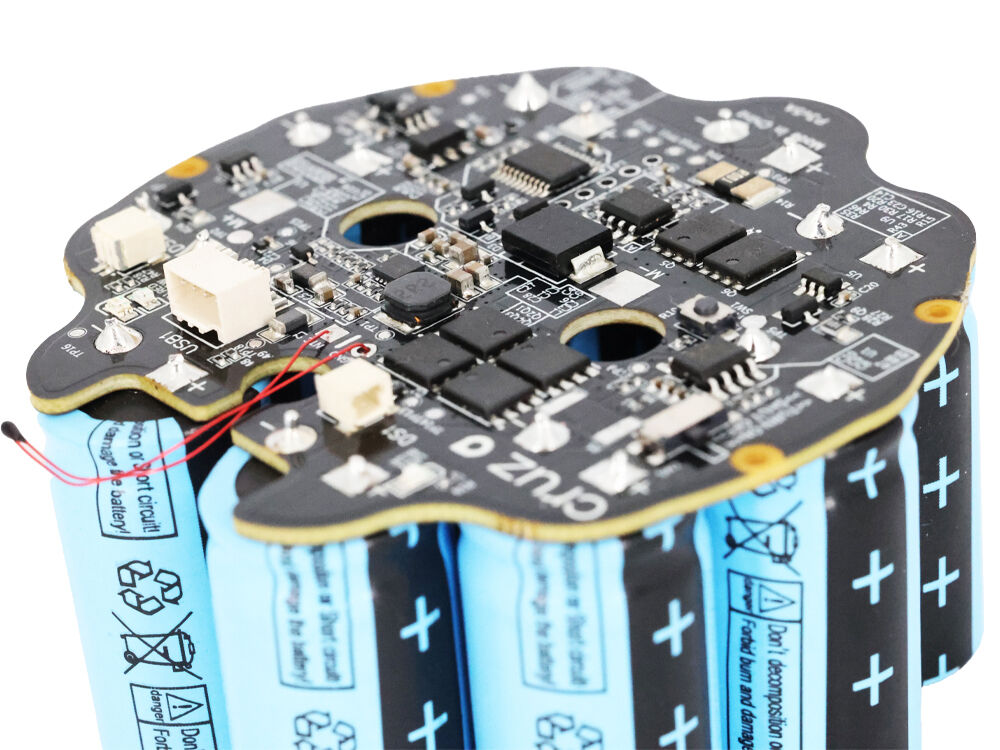
While Design for Manufacturing (DFM) addresses how your circuit board is built, Design for Assembly (DFA) focuses on how easily, accurately, and reliably your PCB can be assembled—both in prototype runs and mass production. Overlooking DFA mistakes leads to costly rework, poorly performing products, and persistent PCB production delays. Based on real-world manufacturing experience at top facilities like Sierra Circuits and ProtoExpress, here are the assembly errors we see most often—and how to ensure your board sails through PCB assembly the first time.
Even with an ideal schematic and stack-up, incorrect component placement or footprint errors can cripple assembly. Common DFA pitfalls include:
Best Practices for DFA in Component Footprint and Placement:
|
DFA Error |
Impact |
Solution / Standard |
|
Mismatched footprint |
Part won’t fit, soldering defects |
IPC-7351 footprints; BOM review |
|
Parts too close |
Delayed pick-and-place, bridging shorts |
≥0.5mm spacing review |
|
Missing designator |
Risk of misplacement or wrong part |
Enforce on silkscreen layer |
|
Wrong polarity |
Mass assembly or test failure |
Mark silkscreen/assembly drawing |
|
Absent fiducials |
Machine alignment errors |
3 per side, copper pad with mask |
Ignoring thermal assembly reflow profile requirements is a top cause of soldering defects and yield loss, especially with modern miniaturized packages.
DFA Guidelines for Thermal/Assembly Profile:
|
Thermal Issue |
DFA Mistake |
Solution |
|
Tombstoning |
Imbalanced footprints/solder pads |
Center pad sizes, closely match geometry |
|
Shadowing |
Tall neighbors block IR |
Group similar-height components |
|
Reflow drop-off |
Underside heavy parts |
Use glue or restrict large parts to top |
Modern SMT assembly relies on a precisely controlled solder paste stencil and compatible flux. Yet, we see many design packages:
Post-assembly cleaning and protective coatings are essential for PCB reliability—especially for automotive, aerospace, and industrial applications. DFA mistakes here include:
PCB production delays and failures don’t just arise at the factory. Sourcing errors, obsolete parts, and a lack of traceability all contribute to rework and poor quality. Common DFA mistakes include:
|
DFA Issue |
Impact |
Mitigation |
|
EOL components |
Last-minute re-spin |
Quarterly BOM review, longevity policy |
|
No traceability |
Recall or QA audit failure |
COC annotation, barcoding, serialized ID |
A robotics manufacturer was experiencing intermittent failures at their annual customer launch. An investigation by the assembler revealed two related DFA mistakes:
Because there was no traceability or coordinated assembly instruction, faulty boards went undetected until system-level test failures. By adding IPC-7351 footprints, visible Pin 1 markings, and quarterly BOM lifecycle checks, subsequent production runs achieved over 99.8% yield and eliminated critical field issues.
Want even more actionable guidance to prevent common DFA mistakes, optimize your assembly process, and accelerate your time-to-market? Download our comprehensive [Design for Assembly Handbook] for detailed DFA checklists, real-world troubleshooting, and expert insights you can apply from prototype to mass production.
Design for Manufacturability (DFM) is an engineering philosophy and set of practical guidelines aimed at ensuring your printed circuit board (PCB) design flows smoothly from digital layout to physical fabrication and assembly. In modern electronics, DFM isn't just a "nice to have"—it's essential for reducing PCB fabrication errors, minimizing production delays, and turbocharging your prototype-to-production journey.
Designing a schematic is only half the battle. If your PCB layout ignores the manufacturing process—from copper trace etching, layer stack-up, and panel routing to surface finish selection and assembly soldering—the likelihood of costly delays skyrockets.
Common Scenarios:
|
Principle |
Impact on PCB Reliability and Yield |
|
Documentation Completeness |
Ensures fab/assembly teams have everything needed—no guesswork. |
|
Manufacturing Process Alignment |
Reduces risk of out-of-tolerance features, improves yield. |
|
Clear Design Intent |
Prevents misinterpretations, missed requirements, or delays. |
|
Realistic Tolerances |
Matches your PCB specs with the realities of etching, drilling, plating, and assembly processes. |
Edge Clearance Leave sufficient space from copper features to the PCB perimeter (typically ≥20 mil) to prevent exposed copper and risk of shorts during depanelization.
Acid Traps Avoid acute angle geometries (<90°) in copper pour corners—these create etch inconsistencies and potential opens/shorts.
Component Placement and Routing Complexity Simplify signal and power routing, minimizing overlapping layers and controlled impedance traces. Rationalize your panelization for best yield.
Trace Width and Spacing Use IPC-2152 to select trace widths according to current load and expected temperature rise. Respect minimum spacing rules for manufacturing and high-voltage isolation.
Solder Mask and Silkscreen Define solder mask openings with at least 4 mil clearance around pads. Keep silkscreen ink off pads to ensure good solder joint reliability.
Via Design Document all via types clearly (through, blind, buried). Specify filled or capped via requirements on HDI or BGA boards. Reference IPC-4761 for via protection methods.
Surface Finish Selection Align your finish (ENIG, HASL, OSP, etc.) with both functional needs (e.g., wire-bonding, RoHS compliance) and assembly capabilities.
Production File Preparation Use standardized naming, include all necessary output (Gerbers, NC drill, stack-up, BOM, IPC-2581/ODB++, netlist).
Not all PCB design software automatically enforces DFM checks, which is why many DFM mistakes slip through. Leading tools (such as Altium Designer, OrCAD, Mentor Graphics PADS, and open-source KiCAD) offer:
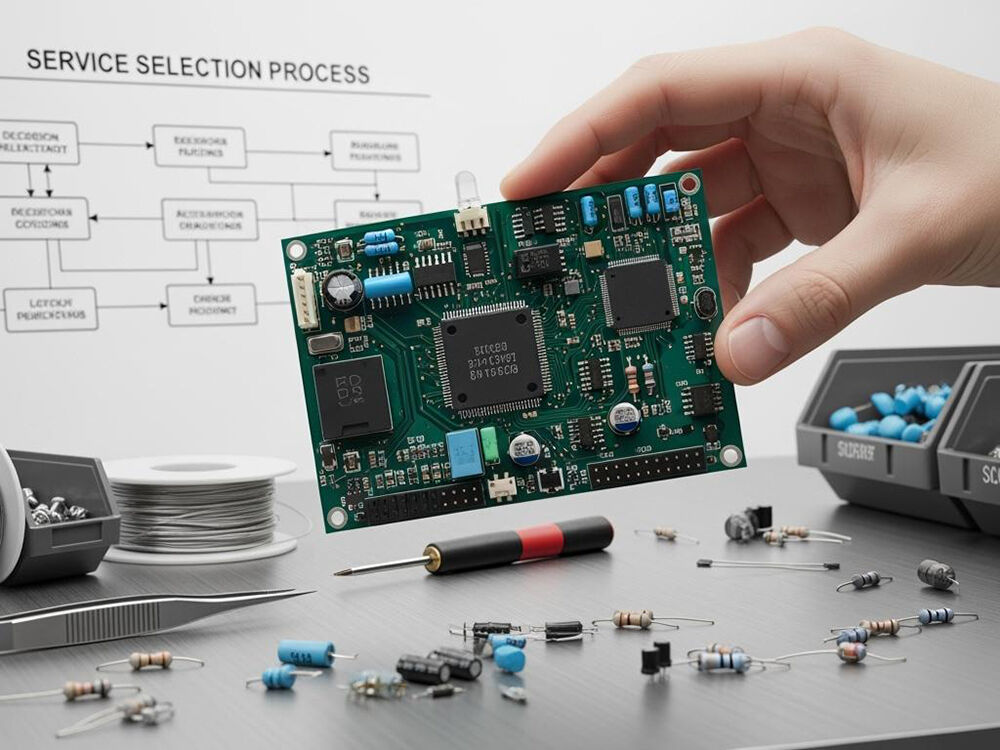
Optimizing your PCB layout for manufacturability is essential to preventing DFM mistakes and DFA errors that cause PCB production delays. The following five layout strategies are proven to streamline both fabrication and assembly, significantly improving your PCB’s reliability, yield, and long-term cost structure.
Correct component placement is the foundation of a buildable PCB. Clustering components too tightly, failing to observe spacing rules, or placing sensitive devices in high-stress areas will challenge both pick-and-place machinery and human operators. Poor placement can also result in ineffective AOI (automated optical inspection), higher defect rates, and increased rework during PCB assembly.
Table: Ideal vs. Problematic Placement
|
Placement Issue |
Effect |
Prevention Strategy |
|
Crowded component areas |
AOI blind spots, rework risk |
Use courtyard and DFM rules |
|
Tall part at edge |
Incomplete solder, depanel break |
Place tall parts centrally |
|
No space for test probes |
Testing and debug delays |
Assign accessible test pads |
Trace routing is more than simply getting from Point A to Point B. Poor routing—sharp angles, improper trace width, inconsistent spacing—leads to signal integrity issues, soldering problems, and complicated debugging. Trace width and spacing directly affect etching yield, impedance control, and high-speed performance.
Using distributed power and ground pours reduces voltage drop, increases thermal performance, and minimizes EMI, a source of frequent PCB reliability complaints in poorly designed boards.
Efficient panelization improves throughput in both fabrication and assembly, while bad depanelization practices (like aggressive V-scoring without copper clearance) can destroy edge traces or expose ground pours.
Example Table: Panelization Guidelines
|
Consideration |
Typical Value |
Rule/Standard |
|
Min. copper to V-score |
15 mils |
IPC-2221 |
|
Min. board gap |
100 mils |
Manufacturer spec |
|
Tabs per edge |
2+ |
Production scale |
No matter how engineered your schematic or layout are, poor documentation and mismatched BOMs are a leading cause of manufacturing confusion and timeline overruns. Clear, consistent files reduce questions, prevent material holds, improve procurement speed, and cut days from the PCB assembly process.
A university research team once saved an entire semester—weeks of experiment time—by adopting a manufacturer’s DFM/DFA checklist for layout, routing, and documentation. Their first prototype batch passed DFM and AOI review with zero questions, demonstrating the measurable time savings of following these five fundamental layout strategies.
Implementing DFM (Design for Manufacturing) best practices isn’t just about avoiding costly mistakes—it’s the secret weapon for optimizing efficiency, boosting product quality, and keeping your PCB production timelines on track. When DFM guidelines are woven into your design process, not only does your yield improve, but you also benefit from smoother communication, easier troubleshooting, and better cost control—all while ensuring your hardware is reliable from the very first build.
DFM transforms theoretical PCB designs into physical boards that are robust, repeatable, and rapid to produce. Here’s how:
Reduced Re-Spins and Rework
Minimized Production Delays
Improved Yield and Reliability
Streamlined Procurement and Assembly
Easy Scaling from Prototype to Volume Production
|
DFM Benefit |
Measurable Outcome |
Industry Benchmark |
|
Fewer design re-spins |
30–50% reduction in ECOs |
IPC & Silicon Valley survey |
|
Higher first-pass yield |
>99.5% on complex (>8 layer) boards |
Quick-turn manufacturer data |
|
Faster time-to-market |
Up to 30% cycle time savings |
Sierra Circuits case studies |
|
Lower rework/scrap rates |
<1% scrap in high-compliance builds |
Automotive/aerospace factories |
|
Smoother NPI handoffs |
80% fewer file-clarification steps |
NPI process audits |
When it comes to bringing a design from digital schematic to a physically assembled board, PCB assembly defects can undo months of careful engineering, introduce costly delays, and undermine the reliability of your entire product. These failures are not random; they nearly always have root causes in layout, documentation, or process gaps—most of which can be addressed by robust DFM and DFA guidelines embedded early in your design phase.
|
Defect Type |
Symptoms/Detection |
Typical Root Cause(s) |
|
Soldering Defects |
Cold joints, bridges, insufficient solder |
Poor paste deposition, wrong footprint, misaligned pads |
|
Component Misalignment |
Off-center, skewed, wrong rotation |
Incorrect footprints, missing polarity, AOI/Gerber errors |
|
Tombstoning |
One end of a passive “lifts” |
Thermal imbalance, mismatched pad size, uneven heating |
|
Solder Mask Problems |
Shorts, open exposures, unmasked pads |
Incorrect gerbers, mask/pad overlap, missing clearances |
|
Assembly Testing Gaps |
Incomplete test coverage, escapes |
Missing/poorly placed test points, no netlist, unclear doc |
|
Open/Incomplete Joints |
Visual “opens,” test failures |
Via-in-pad wicking, cold solder due to missing relief pads |
As complexity climbs—think BGAs, fine-pitch QFPs, or dense two-sided boards—automated inspection and test take center stage:
A medical device manufacturer rejected a batch after testing found 3% of boards with “latent” solder joints—perfect in AOI but failing after thermal cycling. Post-mortem identified a DFM error: insufficient solder mask clearance led to variable wicking and weak joints under thermal load. With revised DFM checks and tighter DFA rules, future builds achieved zero failures after extensive reliability testing.
|
Defect |
DFM/DFA Guideline |
Quality Control Step |
|
Cold/bridged joints |
IPC-7351 pads, correct paste layer, DFM checks |
AOI, visual inspection |
|
Misplaced parts |
Refdes, polarity marking, DFA layout review |
Pick-and-place verification |
|
Tombstoning |
Balanced pads, thermal relief, DFA early review |
Profile simulation, AOI |
|
Solder mask errors |
IPC-2221 mask rules, Gerber DFM check |
AOI, physical inspection |
|
Test escapes |
Test point per net, netlist included |
In-circuit/functional testing |
One core factor in minimizing PCB production delays and assembly defects is the use of advanced, highly-automated manufacturing equipment. The right machinery—paired with process expertise and DFM/DFA-aligned workflows—ensures every design, whether for rapid prototyping or high-reliability mass production, can be built to the highest standards of PCB reliability and efficiency.
kingfield headquarters features a fully integrated, 70,000-square-foot, state-of-the-art facility, reflecting the next generation of PCB fab and assembly operations. Here’s what that means for your projects:
"No matter how strong your engineering, the best results happen when advanced equipment and DFM-compliant design converge. That’s how you eliminate preventable errors, drive up first-pass yield, and consistently beat market timelines." — Director of Manufacturing Technology, Sierra Circuits
Quick-Turn Capabilities: The latest surface mount, AOI, and process automation tools enable full prototype-to-production flows. Even high-complexity PCBs—such as those for aerospace, defense, or fast-changing consumer electronics—can be fabricated and assembled with lead-times counted in days, not weeks.
|
Equipment/System |
Function |
DFM/DFA Benefit |
|
LDI Exposure |
Trace imaging |
Reduces trace width/spacing errors |
|
AOI (fabrication/assembly) |
Visual inspect |
Early defect detection, DFM compliance |
|
SMT Pick-and-Place |
Assembly |
Handles fine-pitch/high-density components |
|
Reflow Ovens (multi-zone) |
Soldering |
Optimized, defect-free joints (lead-free) |
|
Robotic Soldering |
Assembly/QC |
Consistent joints, especially THT/odd parts |
|
X-Ray Inspection |
Nondestructive |
Verifies BGAs, hidden/interior defects |
|
Cleaning/Coating |
Final protection |
Ensures reliability for rugged uses |
|
Traceability/ERP |
All steps |
Full COC, accountability, rapid queries |
In today’s hyper-competitive electronics marketplace, speed is just as important as quality. Whether you’re launching a new device, iterating a critical prototype, or moving to volume, rapid and reliable delivery is a major differentiator. PCB production delays cost more than just money—they can cede entire markets to faster competitors.
Quick-turn PCBs—with turn-times as fast as 1 day for fabrication and as little as 5 days for full turnkey assembly—are the new standard in Silicon Valley and beyond. This agility is only possible when your design flows seamlessly through the manufacturing pipeline, with DFM and DFA practices ensuring zero bottlenecks.
|
Production Step |
Standard Lead Time |
Quick-Turn Lead Time |
|
PCB Fabrication |
4–7 days |
1 day (expedited) |
|
Assembly (SMT/THT) |
7–10 days |
2–5 days |
|
Functional Testing |
2–3 days |
Same-day/Next-day |
|
Turnkey Solution (Full Board) |
2–3 weeks |
5–7 days |
A Silicon Valley wearable tech company needed working prototypes for a high-stakes investor pitch—in four days. By providing DFM/DFA-verified files to a local quick-turn partner, they had 10 fully-assembled, AOI-tested, and functional boards delivered on time. A competing team with incomplete fab notes and a missing BOM spent an entire week in “engineering change” limbo, losing their competitive window.
Whether you’re prototyping or scaling for production, get an instant quote and real-time turn-time estimate from Sierra Circuits or your partner of choice. Upload your DFM/DFA-verified files and watch your project move from CAD to finished board in record time.
Printed circuit board (PCB) production is far from a one-size-fits-all process. The needs of a prototype for wearable electronics are completely different from a mission-critical medical device or a high-reliability aerospace control board. DFM and DFA guidelines—along with a manufacturer’s industry-specific expertise—are the cornerstones for building PCBs that will not only work, but excel in their unique environments.
Let’s look at how industry leaders leverage DFM/DFA and advanced PCB manufacturing technology for top results in various sectors:
|
Industry |
Key DFM/DFA Focus |
Compliance/Standards |
|
Aerospace/Defense |
Stack-up symmetry, traceability, COC, advanced AOI |
IPC Class 3, AS9100D, ITAR |
|
Automotive |
Robust joints, anti-vibration, rapid test |
ISO 26262, ISO/TS 16949 |
|
Consumer/Wearable |
Miniaturization, panelization, cost efficiency |
IPC Class 2, RoHS |
|
Medical Devices |
Cleaning, test point access, biocompatibility |
ISO 13485, FDA 21 CFR 820 |
|
Industrial/IoT |
Environmental protection, longevity, traceability |
RoHS, REACH, UL |
|
University/Research |
Speed to prototype, learning tools, doc templates |
IPC-2221, rapid DFM review |
In the ever-accelerating world of advanced electronics, PCB production delays and assembly defects are not merely technical hurdles—they're business risks. As we've detailed throughout this guide, the root causes of missed deadlines, rework, and yield loss nearly always trace back to preventable DFM mistakes and DFA mistakes. Each error—be it a mismatched stack-up layer, an ambiguous silkscreen, or a missing test point—can cost you weeks, budget, or even a product launch.
What sets the industry’s best PCB teams and manufacturers apart is a relentless commitment to Design for Manufacturing and Design for Assembly—not as afterthoughts, but as core, proactive design disciplines. When you integrate DFM and DFA guidelines at every phase, you empower your entire development cycle to:
Download our DFM and DFA Handbooks Instantly actionable DFM/DFA checklists, troubleshooting guides, and practical IPC-standard references—all designed to de-risk your next PCB design.
Leverage industry-best tools and workflows Choose PCB design software (e.g., Altium Designer, OrCAD) with built-in DFM/DFA checks and always align your outputs to manufacturer-preferred formats.
Establish open communication channels Bring your manufacturer into the design conversation early. Regular design reviews, pre-fab stack-up approvals, and shared documentation platforms prevent surprises and save time.
Adopt a continuous improvement mindset Capture lessons from each build. Update your internal checklists, archive fabrication and assembly notes, and close feedback loops with your partners—adopting a PDCA (Plan-Do-Check-Act) approach for ongoing yield and efficiency gains.
Whether you’re a cutting-edge startup or an industry veteran, putting DFM and DFA at the center of your process is the most powerful way to reduce defects, speed up assembly, and scale successfully. Partner with a proven, technology-forward manufacturer like Sierra Circuits or ProtoExpress—and move from design freeze to market launch with confidence.
DFM (Design for Manufacturing) focuses on optimizing your PCB layout and documentation so that fabrication—etching, drilling, plating, routing—can happen quickly, correctly, and at scale. DFA (Design for Assembly) ensures your board will move smoothly through the placement, soldering, inspection, and test phases with minimal risk of errors or rework during PCB assembly.
|
Must-Include File |
Purpose |
|
Gerber RS-274X / ODB++ |
Image/layer data for fabrication |
|
NC Drill File |
Hole/via count and specification |
|
Stack-Up Drawing |
Layer material and thickness reference |
|
Detailed BOM (Bill of Materials) |
Correct sourcing, lifecycle tracking |
|
Pick-and-place File |
Automated assembly machine guidance |
|
Netlist (IPC-D-356A) |
Test and verify electrical connections |
|
Fabrication Notes |
Finish, tolerance, and process needs |
|
Mechanical/Courtyard Layers |
Milling, slot, and edge clearance info |
By eliminating ambiguities and making your design buildable from the start, you avoid last-minute engineering changes, back-and-forth clarifications, and unintentional delays in both fabrication and assembly. This enables faster prototyping, dependable quick-turn runs, and the ability to pivot rapidly when requirements change.
 Hot News
2026-01-17
2026-01-16
2026-01-15
2026-01-14
2026-01-13
2026-01-12
2026-01-09
2026-01-08