Design a PCB Schematic: Circuit Design Basics
Introduction
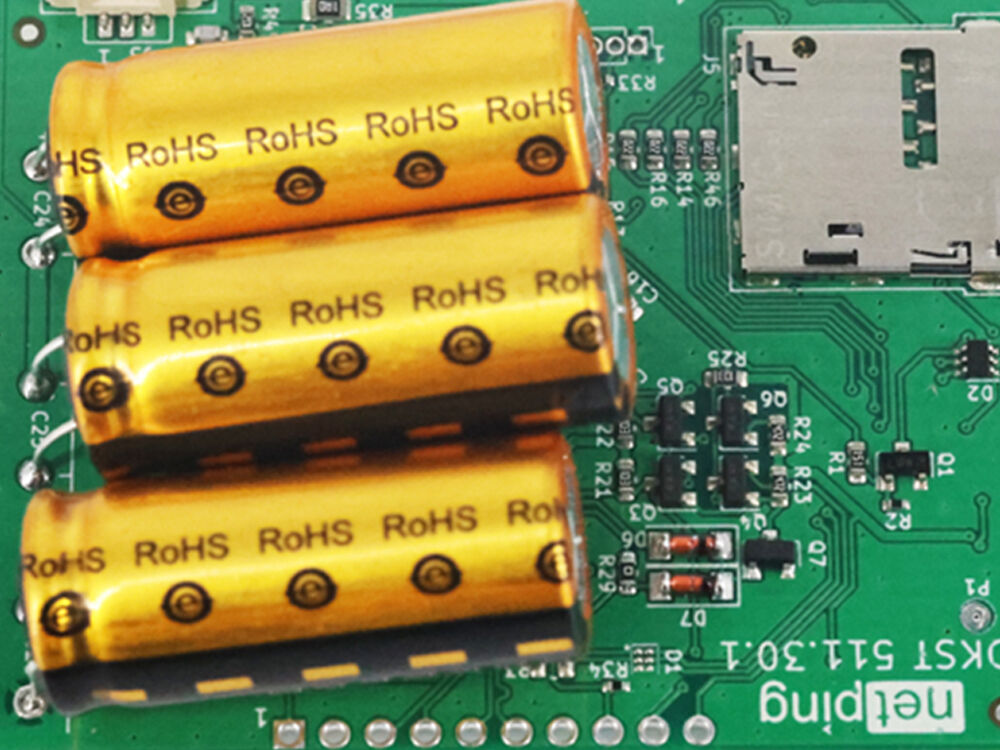
Printed circuit boards (PCBs) lie at the heart of nearly all modern electronic devices, from smartphones and computers to industrial control systems and medical equipment. The PCB schematic is the architect’s blueprint in the world of circuit board design, mapping out every electrical connection, signal flow, and component relationship that will become reality in the final product. Crafting a robust and clear schematic diagram is instrumental not only for innovation and functional success but also for troubleshooting, manufacturing, and quality control during the PCB fabrication process.
Why Start with PCB Schematic Design?
A PCB project always begins with a well-drafted schematic. This schematic diagram provides a logical representation of the electronic circuit design, detailing everything from power and ground distribution, net labeling, and component symbols to the systematic organization of signal flow. Electronic Design Automation (EDA) tools—such as OrCAD, Altium Designer, KiCad, and EasyEDA—make it possible to capture these intricate designs digitally, creating the foundation for downstream processes like PCB layout, netlist verification, and eventually, PCB assembly.
What is the Importance of a Schematic Diagram?
- Conceptualizes a well-structured circuit — forms the blueprint for design and troubleshooting.
- Essential for collaboration among engineers, technicians, and manufacturers.
- Guidance for manufacturing and repair down the line.
Key Elements of a PCB Schematic
- Electronic symbols: Resistors, capacitors, ICs, etc.
- Nets / wires: Electrical connections and signal flow.
- Labels/net names: For clear and distinct signals.
- Power/ground symbols: Clearly marked supply and reference points.
- Component designators: per IEEE standards.
Guidelines for Drawing PCB Schematic Diagrams
A well-structured PCB schematic is the foundation of reliable product development, ensuring clarity, manufacturability, and collaboration efficiency. Below are key guidelines to follow for professional schematic design:
Select a Suitable Page Size
Choose page dimensions that match the circuit’s scale and complexity—avoid overcrowding simple circuits or wasting space on overly large pages. This balances readability and document manageability.
Name Pages in Alphabetical Order
Logically divide multi-page schematics by functional modules and name pages alphabetically. This simplifies navigation and cross-referencing.
Implement a Grid System for Reference Points
Enable a grid system to align components, nets, and symbols uniformly. This streamlines connection routing, ensures visual consistency, and facilitates accurate cross-referencing during design reviews.
Include a Title Block in the Footer
Add a standardized title block at the bottom of each page, containing critical metadata: page size, document revision number, unique document ID, designer name/contact, design date, and company logo. This enhances traceability and professionalism.
Add Important Notes/Comments
Embed key annotations for critical design details: jumper configurations, PCB layout constraints, test point locations, or special component requirements. Clarify non-obvious logic to avoid misinterpretation.
Include a Revision History
Maintain a revision history section to track modifications. This ensures accountability, simplifies version control, and supports compliance with quality standards.
Incorporate a Table of Contents
For multi-page or complex projects, add a table of contents listing page titles, functional modules, and corresponding page numbers. This enables quick navigation and improves document usability for teams.
Utilize a Block Diagram for Design Modules
Start with a high-level block diagram to outline major functional modules and their interconnections. This provides a bird’s-eye view of the system architecture and signal flow.
Illustrate Signal Flow Path Using Hierarchical Design
Adopt hierarchical design to decompose complex circuits: use top-level blocks for system modules and lower-level sheets for detailed circuitry. This clarifies inter-module connections, reduces clutter, and simplifies design iteration.
Use Standard Component Reference Designators
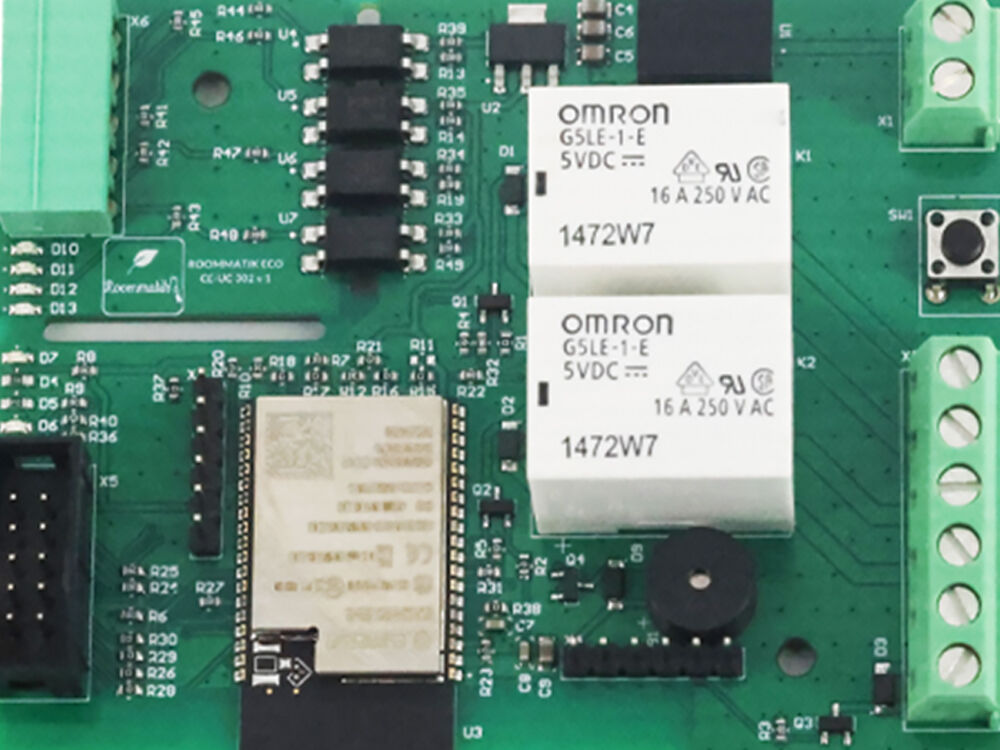
Follow IEEE/IPC standards for component labeling: R (resistor), C (capacitor), U (integrated circuit), D (diode), Q (transistor), etc. Consistent designators eliminate confusion and ensure compatibility with industry tools.
Generate Component Symbols from Standard Libraries
Leverage official or industry-recognized component libraries to create symbols. Avoid custom symbols unless necessary—standardization ensures consistency across designs and reduces error risk.
Reduce Unnecessary Net Connections
Minimize redundant cross-overs, dangling nets, or unused connections. Use net labels instead of direct wires for repeated connections to enhance readability and simplify design modifications.
Maintain Readability for Component Placement
Arrange components logically and avoid overcrowding. Neat placement simplifies the transition to PCB layout and improves design review efficiency.
Place Components Connected to Crystals in Close Proximity
Position crystals, crystal oscillators, and their associated capacitors/resistors as close as possible to the MCU’s clock pins. This minimizes signal interference, reduces trace length, and improves clock signal integrity.
Run a DRC to Assess Design Integrity
Execute an Automated Design Rule Check (DRC) using schematic design software to identify errors such as unconnected pins, short circuits, or invalid component assignments. Resolve DRC violations before proceeding to layout.
Manually Verify Nets to Eliminate Potential Errors
Complement DRC with manual net verification: cross-check all power nets, signal paths, and component connections. This catches subtle errors that automated tools may miss.
Generate a Complete BOM
Create a comprehensive Bill of Materials (BOM) including critical details: component reference designators, quantities, values, manufacturer part numbers (MPNs), supplier information, and footprints. A complete BOM accelerates procurement and manufacturing processes.
Usage Notes for Kingfield:
- Customize the title block and revision history to align with Kingfield’s internal document standards.
- For marketing or technical documentation, pair this guide with schematic examples to enhance practicality.
- Adapt guidelines for industry-specific requirements by adding compliance-related notes.
How to Make an Effective Schematic Diagram of PCB Design
Effective PCB Schematic Design: Concise Guide
- Clarify Objectives: Define application, functional blocks, and constraints .
- Choose Tools: Use Altium/KiCad/Eagle for compatibility and component library support.
- Standardize Components:
-
- Use verified manufacturer symbols/footprints.
- Name as "U1_MCU_STM32F4"; add values, packages, SPNs.
-
- Group functional blocks logically; minimize wire crossings.
- Adopt hierarchical design for complex PCBs.
-
- Validate pinouts against datasheets; add protection circuits.
- Comply with IPC-2221/ISO 13485/IATF 16949; label critical nets.
-
- Include reference designators, key circuit notes, title block.
- Integrate detailed BOM.
-
- Self/peer review; simulate critical circuits; verify netlist.
- Handover for Layout: Export netlists/BOMs/Gerbers; communicate critical requirements.
Importance of PCB Schematics in PCB Board Design
- Foundational Blueprint: Translates electrical requirements into actionable design logic, guiding component selection, connections, and layout.
- Error Prevention: Validates circuit integrity upfront, reducing short circuits/functional failures in manufacturing.
- Cross-Team Collaboration: Unifies engineers with a standardized reference for communication.
- Regulatory Compliance: Enables alignment with industry standards via documented design intent.
- Debugging & Maintenance: Facilitates troubleshooting and post-production repairs.
- BOM & Procurement: Directly generates accurate bill of materials (BOM) with component details for procurement.
- Scalability & Iteration: Supports hierarchical design for complex PCBs and simplifies revisions .
- Cost Control: Reduces rework costs by identifying design flaws early, avoiding expensive manufacturing iterations.
PCB Schematic Design Process: Step by Step
The PCB schematic design process follows a logical, sequential workflow to ensure accuracy, compliance, and seamless transition to physical PCB layout. Each step builds on the previous one, with clear deliverables and quality checkpoints:
Define Design Requirements
This foundational step requires cross-functional alignment to avoid scope creep and design rework. Start by documenting:
- Electrical Specifications: Input/output voltage ranges, operating current limits, signal frequencies, and noise immunity requirements.
- Power Architecture: Clarify power sources , voltage regulation needs, and power distribution.
- Signal Requirements: Identify signal types, communication protocols, and critical signal constraints.
- Mechanical & Environmental Constraints: PCB size/shape limits, operating temperature range, and reliability standards.
- Compliance Standards: Regulatory requirementsthat impact schematic design.
Draw a Block Diagram
Translate the DSD into a high-level block diagram to visualize system architecture. Key steps:
- Identify Functional Modules: Break down the system into core blocks.
- Define Interconnections: Use arrows to indicate signal/power flow between blocks . Label critical nets.
- Simplify Complexity: For multi-module systems, group related blocks. Use standard symbols for clarity.
- Validate with Stakeholders: Review the block diagram to confirm all requirements are addressed and adjust before proceeding to detailed design.
Schematic Capture
Use professional CAD software to implement the block diagram as a detailed schematic. Follow these best practices:
- Set Up Project Parameters: Configure page size, grid system, and design templates before starting.
-
Component Placement:
- Use standard libraries to place components—avoid custom symbols unless absolutely necessary.
- Group components by functional modules and arrange for logical signal flow.
- Keep critical components accessible for future annotations and cross-referencing.
-
Net Routing:
- Use the grid system to align nets and avoid messy, overlapping wires.
- Replace long, redundant wires with net labels .
- For hierarchical designs, create a top-level sheet with block symbols, then link each block to a lower-level sheet containing detailed circuitry.
- Cross-Referencing: Use software features to link components across multi-page schematics and ensure all connections are complete.
Add Component Information
Enrich the schematic with actionable data for manufacturing, procurement, and troubleshooting:
- Reference Designators: Assign IEEE-standard labels (per 4.10) consistently. Avoid duplicate or ambiguous designators.
-
Component Values & Ratings: Specify precise parameters:
- Resistors: Value (10kΩ), tolerance (±1%), power rating (0.25W), package (0402).
- Capacitors: Value (10µF), voltage rating (16V), dielectric (X5R), package (0603).
- ICs: Part number (STM32F407VG), pin configuration (DIP-40), and key specs (32-bit ARM Cortex-M4).
- Manufacturer & Footprint Data: Include manufacturer part numbers (MPNs), datasheet links, and PCB footprint designations.
- Annotations: Add notes for special requirements.
- This information ensures the schematic is "manufacturable" and reduces errors during component sourcing and assembly.
Perform Electrical Rule Check (ERC)
ERC is an automated validation step to catch schematic-level errors before proceeding to layout. Follow this process:
- Configure ERC Rules: Set up software-specific rules aligned with your design requirements.
- Run ERC: Execute the check and generate a report listing violations.
-
Resolve Violations:
- Critical Errors: Address immediately.
- Warnings: Review and resolve if impactful.
- Informational: Document for future reference.
- Re-Run ERC: Repeat until no critical errors remain. For complex designs, conduct a manual review alongside ERC to catch edge cases.
Generate the Netlist
A netlist is a text-based file that defines all components, their pins, and the nets connecting them—acting as a bridge between schematic and layout. Key steps:
- Select Netlist Format: Choose a format compatible with your PCB layout software.
- Generate Netlist: Use CAD software to export the netlist—ensure all components, values, and connections are included.
-
Validate Netlist Accuracy:
- Cross-check a sample of components and nets against the schematic to confirm no missing or incorrect connections.
- Verify that reference designators, part numbers, and footprints match the schematic.
- Fix Netlist Errors: Correct issues like "Undefined component" or "Invalid net name"before importing into layout software.
- A clean, accurate netlist is critical to avoiding layout errors and reducing PCB rework.
Transition to PCB Layout
The final step in schematic design is preparing for layout—ensuring a smooth handoff to the PCB design team. Key actions:
- Package Schematic Deliverables: Compile the final schematic (all pages), ERC report, netlist, BOM (per 4.17), and design notes into a project package.
- Communicate Layout Constraints: Share critical requirements with the layout team .
- Align on Design Rules: Confirm layout design rules based on schematic constraints.
- Handoff & Collaboration: Use version control tools to share files and establish a feedback loop—address layout-specific questions promptly.
- The layout team will use the netlist to place components and route traces, referencing the schematic to ensure adherence to design intent.
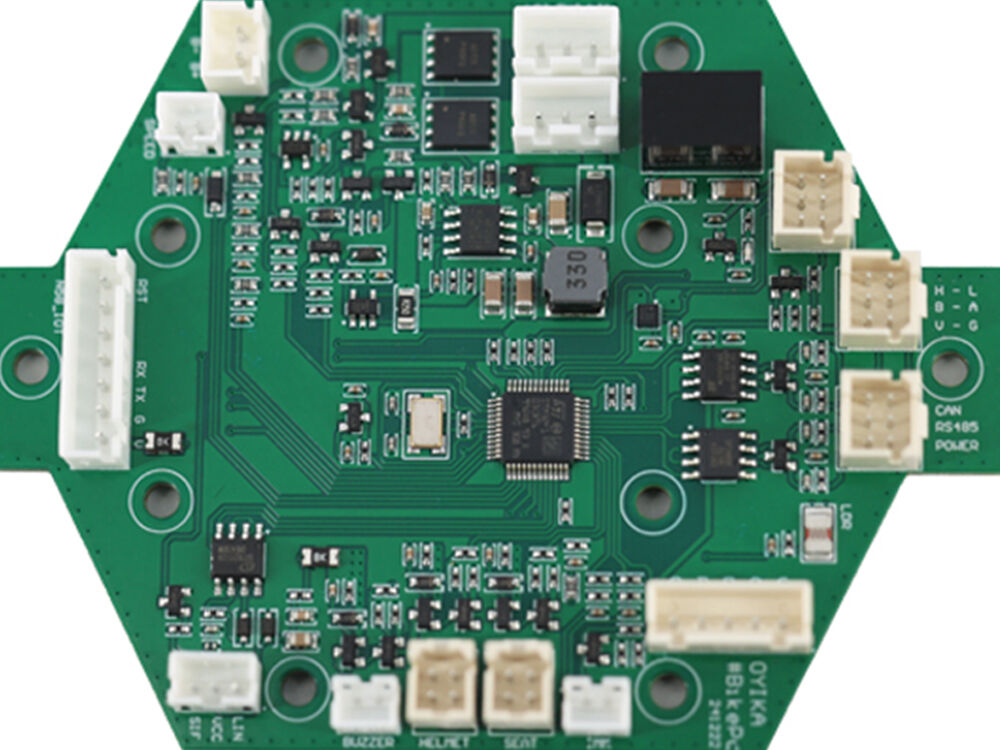
How to Read Circuit Board Schematics
Reading a PCB schematic requires understanding its visual language, logical structure, and key elements. Below is a step-by-step guide to tracing paths and deciphering components for assembly, troubleshooting, and reverse engineering.
Tracing Power, Ground, and Signal Paths
Schematics are organized around three core path types—master these to navigate any design:
Tracing Power Paths
Power paths supply energy to all components—start here to understand the circuit’s "lifeblood":
- Identify Power Sources: Locate the input power component .
- Follow Voltage Regulation: Trace power from the source to voltage regulators that convert input voltage to usable levels . Note filter components that reduce noise.
- Map Power Distribution: Track regulated power nets, sensors (U3), and LEDs (D1-D3).
- Check Decoupling Capacitors: Look for small-value capacitors connected between power nets and ground near ICs—these stabilize voltage and filter noise for individual components.
Tracing Ground Paths
Ground (GND) is the reference point for all signals and power—critical for circuit stability:
- Recognize Ground Symbols: Schematics use standard symbols:
- Digital Ground : Solid line .
- Analog Ground: Triangular symbol .
- Chassis Ground: Symbol with a ground plane.
- Trace Ground Connections: Ensure all components have a ground path. Avoid "floating" components—these cause erratic behavior.
- Note Ground Separation: For mixed-signal circuits, analog and digital ground nets often converge at a single point to reduce cross-talk—trace this convergence to understand noise mitigation.
Tracing Signal Paths
Signal paths carry data or control signals between components—follow these to understand circuit functionality:
- Trace Signal Flow: Follow the net to its destination— connects to MCU pin 6 for analog-to-digital conversion. Note intermediate components.
- Track Control Signals: Identify control signals that enable/disable components.
- Navigate Multi-Page Schematics: Use the table of contents and cross-references to trace signals across pages.
Deciphering Reference Designators for Assembly and Troubleshooting
Reference designators are the "names" of components—mastering them is key to practical use of schematics:
Standard Reference Designator Prefixes
Memorize these IEEE-standard prefixes to quickly identify component types:
|
Prefix
|
Component Type
|
Example
|
Key Function
|
|
R
|
Resistor
|
R5
|
Limits current, divides voltage
|
|
C
|
Capacitor
|
C8
|
Stores charge, filters noise
|
|
U
|
Integrated Circuit (IC)
|
U3
|
MCU, regulator, sensor
|
|
D
|
Diode
|
D2
|
Blocks reverse current
|
|
Q
|
Transistor
|
Q1
|
Amplifies signals, switches circuits
|
|
J
|
Connector
|
J4
|
USB port, sensor header
|
|
L
|
Inductor
|
L3
|
Stores energy, filters AC signals
|
|
SW
|
Switch
|
SW1
|
User input (button, toggle)
|
|
F
|
Fuse
|
F1
|
Protects circuit from overcurrent
|
Using Designators for Assembly
During PCB assembly, designators map schematic components to physical PCB footprints:
- Locate Components: On the schematic, find the designator and note its value (10kΩ) and package.
- Match to PCB: On the physical PCB, find the silkscreen label "R10" and solder the corresponding 10kΩ 0402 resistor.
- Validate BOM Alignment: Cross-check designators against the BOM to ensure correct component sourcing.
Using Designators for Troubleshooting
Designators simplify diagnosing circuit issues:
- Locate Faulty Components: If a sensor isn’t working, find its designator (U3) on the schematic and trace its power and ground paths—use a multimeter to check if power is present at U3 pin 1.
- Verify Signal Paths: If communication fails, trace the "UART_TX" net from MCU U2 pin 7 to connector J4 pin 3—check for broken traces or incorrect component values.
- Cross-Reference Datasheets: Use the designator’s part number (from the BOM) to pull the component’s datasheet—verify pin connections against the schematic.
Key Tips for Reading Complex Schematics
- Start with the Block Diagram: Use the high-level block diagram to orient yourself before diving into detailed circuitry—identify the core module and work outward.
- Use Annotations: Pay attention to notes that clarify non-obvious logic.
- Group Components by Function: Mentally cluster components with the same designator prefix to understand sub-circuits.
- Practice with Simple Schematics: Start with basic circuits to master path tracing and designator recognition before moving to complex designs.
Difference Between PCB Schematic and PCB Layout
Comparison Table
|
Aspect
|
Schematic
|
Layout
|
|
Purpose
|
Logical connections
|
Physical realization
|
|
View
|
Abstract/symbolic
|
Geometric on PCB
|
|
Focus
|
Function, signal flow
|
Placement, routing
|
|
Stage
|
Initial design
|
Follows schematic
|
|
Output
|
Netlist, BOM
|
Gerber, drill, silkscreen
|
|
Checking
|
ERC, DRC
|
DRC, manufacturing checks
|
|
Result
|
Design clarity
|
Ready for fab/manufacture
|
Steps to Transition from Schematic to Layout
Define Board Outline and Stack-Up
Set PCB dimensions ;choose layer count (2/4/6+) and material ;specify copper thickness and dielectric properties.
Component Placement
Arrange by function, prioritize signal integrity and manufacturability;ensure test/assembly access;avoid overlapping footprints.
Perform Routing
Route via shortest, low-noise paths;prioritize power/ground and high-speed signals;follow impedance matching (50Ω/100Ω);minimize crossovers.
Perform DRC
Run Design Rule Check to validate trace width/spacing, via size, and manufacturing rules;fix violations (shorts, clearance issues) before finalizing.
Prepare Manufacturing Files
Export Gerber, drill files, BOM, and assembly drawings;ensure compatibility with PCB manufacturers.
Best PCB Schematic Software and Tools in 2024
|
Software
|
Key Features
|
Strengths
|
Best Use-Cases
|
|
Altium Designer
|
Integrated schematic/layout, 3D view
|
Strong for complex designs, industry-standard
|
Pro/high-volume projects, high-speed circuits
|
|
OrCAD
|
Advanced simulation, team collaboration
|
Reliable for aerospace/automotive, compliance support
|
Industrial/regulated sectors
|
|
KiCad
|
Open-source, cross-platform, standard libs
|
Free, active community
|
Hobbyists, startups, open-source
|
|
Eagle
|
User-friendly, cloud integration
|
Lightweight, easy for beginners
|
Simple PCBs, hobby projects
|
|
Proteus
|
Schematic+PCB+SPICE simulation
|
All-in-one for prototyping
|
Education, low-complexity prototypes
|
|
EasyEDA
|
Web-based, no install, collaborative
|
Accessible anywhere, low learning curve
|
Beginners, quick prototyping
|
Useful PCB Schematic Design Tips for Beginners
- Start with simple circuits;practice by replicating open-source projects.
- Always check component datasheets for pinouts, ratings, and footprint compatibility.
- Use online resources: YouTube tutorials , forums (Reddit r/PrintedCircuitBoard).
Common Circuit Board Schematic Diagram Symbols
|
Component
|
Symbol
|
Description
|
|
Resistor
|
▭▬▭ / ▭▭▭
|
Fixed resistor (IEEE standard)
|
|
Capacitor
|
⏚⏚
|
Non-polarized capacitor
|
|
Diode
|
⚡▶
|
Rectifier diode
|
|
NPN Transistor
|
▲ with 3 pins
|
Emitter, base, collector
|
|
IC
|
▭ with pins
|
Integrated circuit (label pins numerically)
|
|
Power
|
VCC/+
|
Positive power supply
|
|
Ground
|
⏚
|
Digital/analog ground
|
Checklist for a Flawless PCB Schematic
- Correct pin numbers/labels for all components
- Accurate component values and reference designators
- Clear off-page connections
- Proper decoupling capacitors and complete BOM
- No unconnected pins or shorted nets
- Compliance with IEEE/IPC standards
Conclusion
PCB schematic design is key to reliable PCB development. Success needs technical planning, precise component selection/connections, and adherence to standards—this minimizes manufacturing errors, cuts rework costs, and ensures the final product meets requirements.
FAQs
Q1: Is KiCad suitable for professional PCB designs?
A1: Yes—it supports complex multi-layer designs and manufacturing file export, widely used by startups and SMEs.
Q2: What’s the difference between ERC and DRC?
A2: ERC checks schematic errors; DRC verifies physical layout constraints.
Q3: Why need decoupling capacitors?
A3: They stabilize IC power voltage, filter noise, and prevent voltage droops from transient currents.
Q4: How to choose 2-layer vs 4-layer PCBs?
A4: 2-layer for simple circuits; 4-layer for complex designs.

 EN
EN
 Hot News